Gallery- Photo Gallery & Album
- 4.6
- Rating
- 10.00M
- Installs
- Free
- Price

 Analysis by App-foxy
Most people do not need another camera app; they need a calmer way to deal with the pictures already on their phone. That was my starting point with Gallery- Photo Gallery & Album, a free photography app from Mobile_V5. I approached it as an everyday photo manager: something to open after a busy week, sort through screenshots and camera shots, find an older video, and keep private items away from casual browsing.
The app’s basic promise is simple, but that simplicity is useful. It focuses on viewing, organizing, and protecting photos and videos rather than trying to become a full editing studio or social platform. In my experience, that makes it easier to understand than feature-heavy alternatives. The trade-off is that anyone expecting advanced cloud organization, professional editing, or a highly specialized privacy system may find the experience more limited.
From a crowded camera roll to a usable gallery
My first realistic test was the situation most phone owners know well: a camera roll containing family pictures, downloaded images, screenshots, short videos, and temporary files mixed together. When everything is left in one stream, finding one useful image becomes a small chore. A gallery app earns its place by reducing that friction, not by adding decorative tools.
You May Also Like

 Google Keep - Notes and lists
Google Keep’s Quiet Growth Shows the Appeal of Simpler Notes
As mobile work gets busier, Google Keep keeps winning a simple contest: capture a thought quickly, find it later, and get on with the day.

 Blood Strike: 2.5 Anniversary
Blood Strike’s Loadouts Turn Every Drop Into a Tactical Gamble
A close look at Blood Strike’s custom loadouts: how fast access to signature weapons reshapes its battle royale rhythm, rewards preparation, and narrows the gap between fights.

 Pandora - Music & Podcasts
Pandora’s Music Is Easy to Start, but Harder to Recover
Pandora’s strength is its low-effort path from a seed to a station. Its weak spot is how much confidence it asks you to place in connection, setup, and quiet recovery.

 8 Ball Pool
 Is Built on Rivalries, Rematches, and Routine
A close look at the rivalries, rematches, shared routines, and unanswered safety questions that turn a quick pool match into a persistent mobile community.

 Samsung Music
’s Quiet Strength Is Playing What You Already Own
Its reach comes less from spectacle than from dependable access to a personal library. That simplicity is both the app’s strongest retention engine and its ceiling.

 AccuWeather: Weather Radar
AccuWeather Review: A Quick, Clear Forecast for Everyday Decisions
For everyday plans, the best forecast is the one you can understand quickly. AccuWeather makes rain timing, radar, and local conditions easy to act on, with a few trade-offs.
More From Our News Desk



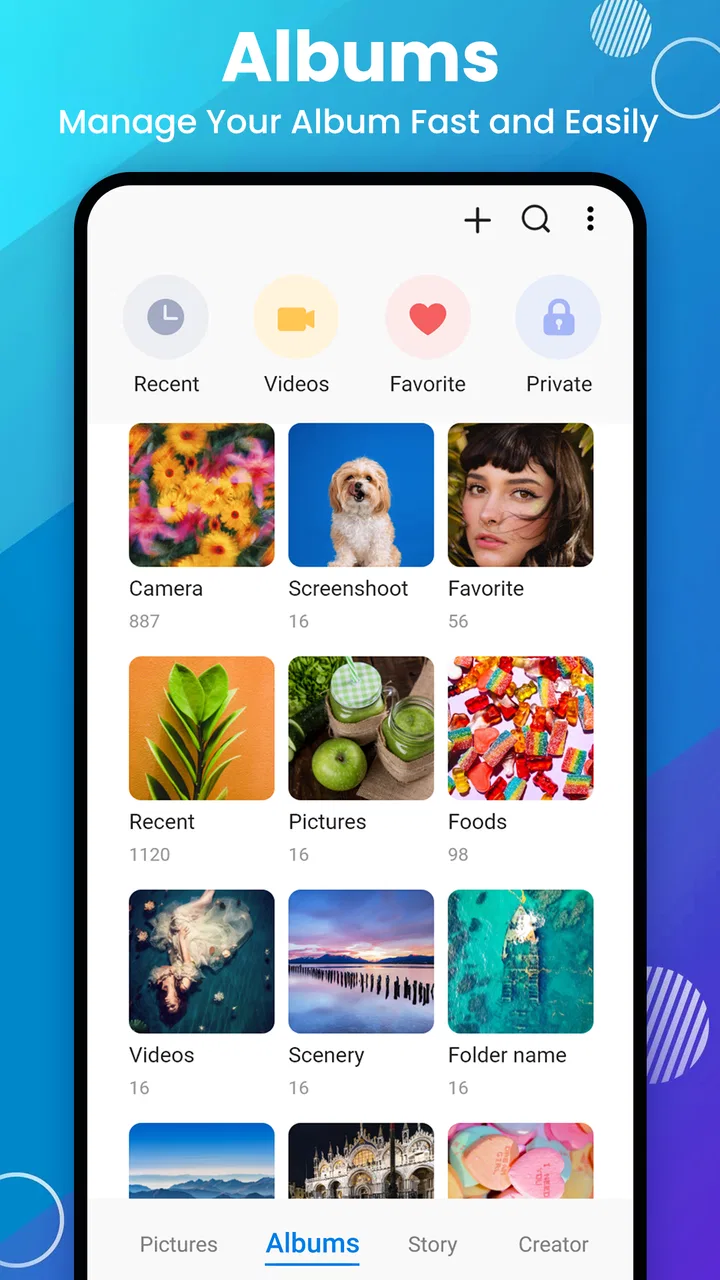
Gallery- Photo Gallery & Album is designed around that everyday problem. I found its role easiest to understand when treating it as the front door to local visual content. Instead of opening separate folders through a file manager, I could use a dedicated photography interface to browse albums and move between images and videos in a more natural way.
The app is free to install, with optional in-app purchases ranging from $1.99 to $9.99 per item. That makes it easy to try without committing money first, although I would still check which functions are included before building an important workflow around it. Its Everyone content rating also makes it broadly suitable for general household use, including a shared tablet or a phone used by different family members.
On the practical side, the app runs on Android devices using version 6.0 or later. That is helpful for people keeping an older phone in service, especially as a secondary device for travel or family photos. The current version is 2.7.6, so I would keep the app updated when possible, particularly if I planned to rely on its privacy-related tools.
The first pass: separating useful pictures from visual noise
I would begin with a quick, low-effort pass rather than attempting a perfect filing system. Screenshots that are no longer needed can be removed, while receipts, travel confirmations, and reference images can be grouped for later. The important insight is that album organization works best when it follows how I will retrieve something, not when it tries to describe every detail of the image.
For example, I might create albums around “Trip,” “Receipts,” “Family,” and “To Share.” Those names answer practical questions quickly. A date-based structure may be better for someone documenting events, while subject-based albums are more useful when the same event produces both photos and videos. I would avoid creating dozens of tiny albums because that simply replaces one crowded stream with a crowded menu.
A useful workflow is to organize in two stages. First, I would make broad decisions while browsing: keep, delete, or revisit. Then I would return to the remaining images and place only the important ones into albums. This prevents the common mistake of spending time carefully categorizing pictures that were going to be discarded anyway.
Handling photos and videos together
Mixed media is where a gallery can become more valuable than a basic folder browser. A birthday gathering, for instance, may include still images, short clips, and screenshots of messages sent during the day. Keeping them visible in one place makes the event easier to review, but it also creates a retrieval problem if videos are not easy to distinguish from photos.
I found the most sensible approach was to think in terms of the final task. If I wanted to send a few memories to a relative, I would first gather the relevant items into one album or browsing session, then select the strongest images rather than forwarding everything. If I wanted to preserve a record of the event, I would keep the video clips with the photos and use a clear album name that would still make sense months later.
This is also where storage habits matter. A gallery helps me see what is on the device, but it does not remove the need for a backup routine. Before deleting duplicates or old downloads, I would confirm that the copies I care about exist somewhere safe. The app can make local content easier to manage; it should not be treated as a replacement for a separate backup plan.
Using the lock function with realistic expectations
The privacy feature is one of the more useful reasons to consider this particular app. There are pictures I may want to keep on my phone but not leave visible during a quick demonstration, a family handoff, or a friend scrolling through the gallery. Locking those items can create a helpful boundary between ordinary browsing and more personal content.
I would use that function selectively rather than treating it as a complete security strategy. Suitable examples include personal scans, private family images, or pictures that are not ready to share. The key habit is to test the process with a non-critical image first: lock it, close the app, reopen it, and confirm that I understand how to view it again. That small check avoids the frustration of hiding something and then forgetting how the app expects it to be recovered.
There is an important handoff here between the gallery and the rest of the phone. A private image may be protected inside the app’s browsing experience, but sharing, exporting, screenshots, backups, or other apps can change where a copy exists. I would therefore avoid assuming that locking one visible item automatically controls every duplicate elsewhere on the device. The lock is most useful as a practical privacy layer for gallery browsing, not as an excuse to ignore broader device security.
A workable sharing routine
My preferred sharing workflow would be deliberately short. I would open the relevant album, review the images at full size, remove near-duplicates from the selection, and then hand the chosen items to the phone’s normal sharing route. This is better than selecting an entire day’s worth of pictures and asking the recipient to sort them out.
The album itself can act as a staging area. For a school event, I might place candidate photos together, check that the images are in the right order, and then share only the finished selection. For a repair claim or a rental inspection, I could gather evidence images into a named album before sending them. That creates a clearer handoff from personal storage to an external conversation.
I would also pay attention to the difference between organizing and editing. If I need cropping, color correction, retouching, or detailed adjustments, a dedicated editor is likely the better tool. Gallery- Photo Gallery & Album makes more sense before or after editing: first as a place to locate and group source material, and later as a place to review the results.
What the app does well in an everyday scenario
Imagine returning from a weekend trip with a mixture of camera photos, downloaded tickets, screenshots of directions, and several short videos. My first step would be to create one trip album and place the relevant visual material there. Next, I would remove obvious duplicates and temporary screenshots. Then I would lock any personal images that should not appear during casual browsing. Finally, I would select a smaller set to share with friends.
That workflow has a clear outcome: the trip is no longer buried in a general camera roll, the shareable material is easier to find, and private items are less exposed during ordinary use. The app’s value is not that it transforms the pictures. It reduces the number of small decisions I have to make every time I need to locate, review, or show them.
This is where the app feels more approachable than a broad file manager. File managers are excellent when I need exact paths, downloads, documents, or device-wide control, but they can feel less natural for browsing memories. A cloud photo service may offer stronger search, synchronization, and automatic categorization, yet it also introduces a different dependence on accounts and online storage. This app sits closer to a straightforward local gallery experience.
Three habits that make the workflow smoother
First, I would use a temporary album as an inbox. New screenshots and downloaded images often need a decision but not immediate filing. Keeping them together for a weekly review prevents them from spreading across unrelated albums and gives me one place to clean up.
Second, I would name albums for the action I expect to take. “Send to insurance,” “Print later,” or “Family selection” is often more useful than a vague label such as “Important.” This turns the gallery into a lightweight task system without pretending it can replace a dedicated notes or document app.
Third, I would separate originals from outgoing selections. If I am preparing photos for someone else, I would make a selection album instead of moving or deleting the original material immediately. That creates a safer handoff: the recipient gets a focused group, while my source collection remains intact until I am sure the transfer is complete.
A fourth habit is worth adding for privacy. I would periodically review locked content rather than hiding items indefinitely. A lock can prevent accidental exposure, but forgotten private files still occupy space and may become confusing later. A short review keeps the feature useful instead of turning it into a second, mysterious camera roll.
Where the experience starts to break down
The app’s focused design is also its main limitation. People who want sophisticated automatic search, facial grouping, extensive metadata tools, or seamless access across several devices may prefer a cloud-centered photo service. Those tools are better suited to large collections that need searching by person, location, or visual subject rather than simple album browsing.
It is also not the right choice if photo editing is the central task. I would not open it expecting the controls of a dedicated editor, nor would I choose it as my main tool for creating elaborate collages or polished social posts. Its strength is the management stage: seeing what I have, putting it into sensible groups, and controlling what is visible during normal gallery use.
The privacy workflow can require discipline. A lock is only helpful if I remember what I placed behind it and understand how that content behaves when another app receives a copy. Anyone looking for a highly specialized vault with a broader security model should compare alternatives carefully. For ordinary “keep this out of sight when someone borrows my phone” situations, the feature is practical; for sensitive material requiring a more comprehensive protection plan, I would use a purpose-built secure-storage solution.
There is another possible friction point in switching from a familiar default gallery. Even when the new app presents the same photos, habits do not transfer automatically. I would need a few sessions to decide which albums matter, where locked items belong, and whether I prefer this interface to the phone maker’s built-in option. If the default gallery already handles my library cleanly, the benefit of changing may be modest.
Who should install it, and who should skip it
I would recommend it to someone who wants a dedicated, uncomplicated way to browse local photos and videos, especially if the built-in gallery feels cluttered or lacks a convenient privacy option. It is also a sensible fit for an older compatible Android phone, a family device, or anyone who prefers organizing manually instead of relying on automatic cloud sorting.
It may suit people who regularly need to prepare small collections for sharing. The album-first approach is useful for travel pictures, receipts, household records, school activities, and personal projects where the main challenge is gathering the right files rather than editing them.
I would skip it if my priority were automatic backup across devices, powerful image corrections, extensive search, or a complete encrypted vault. In those cases, a cloud photo platform, professional editing app, file manager, or dedicated security tool may be a better match. Installing this gallery will not solve every photo problem, and choosing it for the wrong job would make its simplicity feel like a weakness.
My final view after following the full workflow
Gallery- Photo Gallery & Album works best when I treat it as a practical middle layer between the phone’s camera roll and the action I want to take next. The input is a messy collection of images and videos. The process is browsing, grouping, reviewing, and selectively locking. The handoff is sharing a prepared set or returning to another app for editing or backup. The result is a more manageable local library.
Its popularity is understandable: it has an average rating of 4.6 from around 257 thousand ratings and has passed 10 million installs. Those figures suggest that its straightforward approach appeals to a large Android audience, although popularity alone does not make it ideal for every collection or privacy requirement.
For me, the strongest reason to try it is not the promise of a dramatic change. It is the small reduction in daily friction: finding a video without digging through folders, keeping a selection together before sharing, and hiding a personal item during ordinary browsing. The free entry point makes that experiment easy, while the optional purchases are something I would evaluate only after confirming that the core workflow fits my habits.
My recommendation is simple: choose it if you want a focused gallery and album manager with a useful lock option, and if you are comfortable keeping backups and specialized editing elsewhere. I would not present it as a replacement for every photography tool, but as a sensible local organizer it can turn an untidy camera roll into a collection I can actually use.
FAQs for Gallery- Photo Gallery & Album
01What are the main features of the Gallery - Photo Gallery & Album app?
The Gallery - Photo Gallery & Album app offers a sleek and intuitive interface for organizing and viewing your photos and videos. Key features include customizable albums, a powerful search function, slideshow capabilities, and secure photo vault options. It also supports a wide range of media formats, making it a versatile choice for managing your digital memories.
02Is the Gallery app safe to use for storing personal photos?
Yes, the Gallery app provides robust security features to ensure your photos and videos are safe. It includes a secure vault where you can store sensitive content and protect it with a PIN or fingerprint authentication. Regular updates also help maintain app security and privacy standards.
03Can I customize how my photos are displayed in the Gallery app?
Absolutely, the Gallery app offers extensive customization options. You can organize your media into personalized albums, choose different viewing modes, and even apply themes to change the app's appearance. These features allow you to tailor the app to your specific preferences for a more enjoyable browsing experience.
04Does the Gallery app support cloud storage integration?
Yes, the Gallery app supports integration with various cloud storage services. This feature allows you to back up your photos and videos seamlessly, ensuring you never lose your precious memories. You can access your cloud-stored media directly from the app, making it convenient to manage your digital content.
05Is the Gallery app compatible with both Android and iOS devices?
The Gallery - Photo Gallery & Album app is designed to be compatible with both Android and iOS platforms. It ensures a consistent user experience across different devices, allowing you to enjoy its features whether you're using a smartphone or a tablet. Regular updates keep the app optimized for the latest operating systems.
Pros
- Intuitive and user-friendly interface.
- Fast photo loading and browsing.
- Supports various photo formats.
- Customizable album organization.
- Offline access to photos.
Cons
- Limited editing tools available.
- Ads can be intrusive at times.
- No cloud backup integration.
- Lacks advanced search options.
- Some features require in-app purchases.

Gallery- Photo Gallery & Album
Gallery